省流#
最后真正奏效的应该是在本地的settings.json里面添加两行(如果已有就修改相应的值):
"remote.SSH.useLocalServer": false,
"remote.SSH.useExecServer": true,简单来说这两行代码就是停止mac本地启动的中转/管理进程,直接用 SSH 命令去远程机器上启动 VS Code Server。
折腾历程#
发现问题#
在SSH我的Linux主机后,正常使用是不卡顿的。但是一旦启用C/C++的intellisense,就会从流畅变成小卡最后到卡出💩(terminal,settings,打字,一切和远程有关的操作都被影响)。我尝试了用top和btop检查高占用率进程,并无收获。网络上也没有相关的问题和解决办法,我只好自己开始摸索。
两个版本的VSCode#
本地设置#
由于之前也遇到过类似的问题(SSH到服务器,不过当时是python卡),我直接沿用之前的方法装旧版本VSCode,发现依然奏效。但是为了个SSH就一直用旧版本VSCode,实在是有点窝囊。因此我最开始想的解决方法是:新版本的VSCode正常使用,而旧版本的VSCode仅用于SSH连接。由于不同版本的VSCode对插件版本的要求不一样,最好的方案是让两个VSCode分别使用不同的本地缓存路径,实现物理隔离:
// 版本一
open -n "/Applications/Visual Studio Code.app"

// 版本二
open -n "/Applications/Visual Studio Code Legacy.app" --args \
  --user-data-dir "$HOME/.vscode-legacy-user-data" \
--extensions-dir "$HOME/.vscode-legacy-extensions"由于Karabiner最好不要直接设置长命令,我先写一个shell脚本来打开旧版本VSCode:
#!/bin/bash
open -n "/Applications/Visual Studio Code Legacy.app" --args \
  --user-data-dir "$HOME/.vscode-legacy-user-data" \
--extensions-dir "$HOME/.vscode-legacy-extensions"在Karabiner Elements中设置快捷键来区分这两个版本(原来已经有option+1打开VSCode,现在只用新设置一个快捷键打开旧版本):
{
  "description": "Open old VS Code with Left Option + P",
  "manipulators": [
    {
      "type": "basic",
      "from": {
        "key_code": "p",
        "modifiers": {
          "mandatory": ["left_option"],
          "optional": ["any"]
        }
      },
      "to": [
        {
          "shell_command": "$HOME/bin/code-old"
        }
      ]
    }
  ]
}这样设置好之后,旧版本VSCode就可以正常使用了,SSH连接也不会卡顿了。我切换回新版本VSCode,SSH可以连接到主机,但是开始疯狂重新建立连接。
远程主机设置#
虽然两个本地VSCode是隔离的,但它们连接同一台 SSH 主机时,远程默认都用~/.vscode-server目录存放服务器端的文件。此时两个VSCode实例在同时争抢这个目录,导致频繁重启。解决方法是让旧的VSCode使用独立的远程 server 目录~/.vscode-server-legacy(其中Tony-Linux是SSH的主机别名):
{
  "remote.SSH.serverInstallPath": {
    "Tony-Linux": "~/.vscode-server-ssh-minimal"
  },
  "remote.SSH.useLocalServer": false
}清理一下之前的缓存就应该可以正常区分登录了:
rm -rf ~/.vscode-server
rm -rf ~/.vscode-server-insiders吗?
又报错了:
[22:20:05.263] Log Level: 2
[22:20:05.271] SSH Resolver called for "ssh-remote+7b22686f73744e616d65223a22546f6e792d4c696e7578227d", attempt 1
[22:20:05.275] remote.SSH.useLocalServer = true
[22:20:05.275] remote.SSH.useExecServer = false
[22:20:05.275] remote.SSH.bindHost = {}
[22:20:05.275] remote.SSH.path =
[22:20:05.275] remote.SSH.configFile =
[22:20:05.275] remote.SSH.useFlock = true
[22:20:05.275] remote.SSH.lockfilesInTmp = false
[22:20:05.275] remote.SSH.localServerDownload = auto
[22:20:05.276] remote.SSH.remoteServerListenOnSocket = false
[22:20:05.276] remote.SSH.defaultExtensions = ["ms-python.python","ms-toolsai.jupyter-renderers","ms-toolsai.jupyter-keymap","ms-toolsai.jupyter"]
[22:20:05.276] remote.SSH.defaultExtensionsIfInstalledLocally = []
[22:20:05.277] remote.SSH.loglevel = 2
[22:20:05.277] remote.SSH.enableDynamicForwarding = true
[22:20:05.277] remote.SSH.enableRemoteCommand = false
[22:20:05.277] remote.SSH.serverPickPortsFromRange = {}
[22:20:05.277] remote.SSH.serverInstallPath = {}
[22:20:05.277] remote.SSH.permitPtyAllocation = false
[22:20:05.277] remote.SSH.preferredLocalPortRange = undefined
[22:20:05.277] remote.SSH.useCurlAndWgetConfigurationFiles = false
[22:20:05.277] remote.SSH.experimental.chat = true
[22:20:05.277] remote.SSH.experimental.enhancedSessionLogs = true
[22:20:05.277] remote.SSH.httpProxy = {"*":""}
[22:20:05.278] remote.SSH.httpsProxy = {"*":""}
[22:20:05.280] VS Code version: 1.123.0
[22:20:05.280] Remote-SSH version: remote-ssh@0.124.2026052815
[22:20:05.280] darwin arm64
[22:20:05.288] SSH Resolver called for host: Tony-Linux
[22:20:05.288] Setting up SSH remote "Tony-Linux"
[22:20:05.294] Acquiring local install lock: /var/folders/ld/gt9rq_md5kz_9xw_y2c4c3c40000gn/T/vscode-remote-ssh-a0ea5e3e-install.lock
[22:20:05.295] Looking for existing server data file at /Users/tony/Library/Application Support/Code/User/globalStorage/ms-vscode-remote.remote-ssh/vscode-ssh-host-a0ea5e3e-6a44c352bd24569c417e530095901b649960f9f8-0.124.2026052815-tr/data.json
[22:20:05.295] No existing data file
[22:20:05.295] Using commit id "6a44c352bd24569c417e530095901b649960f9f8" and quality "stable" for server
[22:20:05.295] Extensions to install: ms-python.python, ms-toolsai.jupyter-renderers, ms-toolsai.jupyter-keymap, ms-toolsai.jupyter
[22:20:05.298] Install and start server if needed
[22:20:05.300] PATH: /Users/tony/.bun/bin:/opt/homebrew/opt/postgresql@15/bin:/Library/Frameworks/Python.framework/Versions/3.12/bin:/opt/homebrew/bin:/opt/homebrew/sbin:/Library/Frameworks/Python.framework/Versions/3.11/bin:/usr/local/bin:/System/Cryptexes/App/usr/bin:/usr/bin:/bin:/usr/sbin:/sbin:/var/run/com.apple.security.cryptexd/codex.system/bootstrap/usr/local/bin:/var/run/com.apple.security.cryptexd/codex.system/bootstrap/usr/bin:/var/run/com.apple.security.cryptexd/codex.system/bootstrap/usr/appleinternal/bin:/pkg/env/global/bin:/opt/X11/bin:/Library/Apple/usr/bin:/Library/TeX/texbin:/Applications/VMware Fusion.app/Contents/Public
[22:20:05.300] Checking ssh with "ssh -V"
[22:20:05.306] > OpenSSH_10.2p1, LibreSSL 3.3.6

[22:20:05.308] askpass server listening on /var/folders/ld/gt9rq_md5kz_9xw_y2c4c3c40000gn/T/vscode-ssh-askpass-e247adb14c67ddce6bd4b49a24ebdeb07f7420ff.sock
[22:20:05.308] Spawning local server with {"serverId":1,"ipcHandlePath":"/var/folders/ld/gt9rq_md5kz_9xw_y2c4c3c40000gn/T/vscode-ssh-askpass-e84d0b01a71524c9d38087cb02979ccd04bb0498.sock","sshCommand":"ssh","sshArgs":["-v","-T","-D","65266","-o","ConnectTimeout=15","Tony-Linux"],"serverDataFolderName":".vscode-server","dataFilePath":"/Users/tony/Library/Application Support/Code/User/globalStorage/ms-vscode-remote.remote-ssh/vscode-ssh-host-a0ea5e3e-6a44c352bd24569c417e530095901b649960f9f8-0.124.2026052815-tr/data.json"}
[22:20:05.308] Local server env: {"SSH_AUTH_SOCK":"/var/run/com.apple.launchd.tvw3iXPme2/Listeners","SHELL":"/bin/zsh","DISPLAY":"/var/run/com.apple.launchd.KVqkU8uPoe/org.xquartz:0","ELECTRON_RUN_AS_NODE":"1","SSH_ASKPASS":"/Users/tony/.vscode/extensions/ms-vscode-remote.remote-ssh-0.124.2026052815/out/local-server/askpass.sh","VSCODE_SSH_ASKPASS_NODE":"/Applications/Visual Studio Code.app/Contents/Frameworks/Code Helper (Plugin).app/Contents/MacOS/Code Helper (Plugin)","VSCODE_SSH_ASKPASS_EXTRA_ARGS":"","VSCODE_SSH_ASKPASS_MAIN":"/Users/tony/.vscode/extensions/ms-vscode-remote.remote-ssh-0.124.2026052815/out/askpass-main.js","VSCODE_SSH_ASKPASS_HANDLE":"/var/folders/ld/gt9rq_md5kz_9xw_y2c4c3c40000gn/T/vscode-ssh-askpass-e247adb14c67ddce6bd4b49a24ebdeb07f7420ff.sock"}
[22:20:05.308] Spawned 12336
[22:20:05.309] Using connect timeout of 17 seconds
[22:20:05.425] > local-server-1> Running ssh connection command: ssh -v -T -D 65266 -o ConnectTimeout=15 Tony-Linux
[22:20:05.426] > local-server-1> Spawned ssh, pid=12349
[22:20:05.427] stderr> local-server-1> listen EINVAL: invalid argument /var/folders/ld/gt9rq_md5kz_9xw_y2c4c3c40000gn/T/vscode-ssh-askpass-e84d0b01a71524c9d38087cb02979ccd04bb0498.sock
[22:20:05.814] Server delay-shutdown request failed: connect EINVAL /var/folders/ld/gt9rq_md5kz_9xw_y2c4c3c40000gn/T/vscode-ssh-askpass-e84d0b01a71524c9d38087cb02979ccd04bb0498.sock - Local (undefined:undefined)
[22:20:05.980] stderr> debug1: Server host key: ssh-ed25519 SHA256:3Uwz+nZ8JdCYSI/RUMCVNMzRiUTln+XiKtQzY83OapQ
[22:20:06.368] stderr> Authenticated to 172.26.125.198 ([172.26.125.198]:22) using "publickey".
[22:20:06.591] > Welcome to Ubuntu 26.04 LTS (GNU/Linux 7.0.0-15-generic x86_64)
>
>  * Documentation:  https://docs.ubuntu.com
>  * Management:     https://landscape.canonical.com
>  * Support:        https://ubuntu.com/pro
>
> Expanded Security Maintenance for Applications is not enabled.
>
> 17 updates can be applied immediately.
> To see these additional updates run: apt list --upgradable
>
> 1 additional security update can be applied with ESM Apps.
> Learn more about enabling ESM Apps service at https://ubuntu.com/esm
>
> *** System restart required ***
[22:20:06.707] > ready: e97dbbd10aa2
[22:20:06.774] > Linux 7.0.0-15-generic #15-Ubuntu SMP PREEMPT_DYNAMIC Wed Apr 22 16:06:43 UTC 2026
[22:20:06.774] Platform: linux
[22:20:06.840] > /bin/bash
[22:20:06.841] Parent Shell: bash
[22:20:06.841] Parent Shell pid: 12336
[22:20:06.842] Waiting for subshell to start
[22:20:06.893] Waiting for subshell to start
[22:20:06.907] > 709633
[22:20:06.908] stdout -> '709633'
[22:20:06.908] sub-process detected
[22:20:07.029] > 709633
> e97dbbd10aa2: running
[22:20:07.036] > Acquiring lock on /home/tony/.vscode-server/bin/6a44c352bd24569c417e530095901b649960f9f8/vscode-remote-lock.tony.6a44c352bd24569c417e530095901b649960f9f8
> Installing to /home/tony/.vscode-server/bin/6a44c352bd24569c417e530095901b649960f9f8...
[22:20:07.048] > e97dbbd10aa2%%1%%
[22:20:07.054] > Downloading with wget
[22:20:07.817] Server delay-shutdown request failed: connect EINVAL /var/folders/ld/gt9rq_md5kz_9xw_y2c4c3c40000gn/T/vscode-ssh-askpass-e84d0b01a71524c9d38087cb02979ccd04bb0498.sock - Local (undefined:undefined)
[22:20:09.816] Server delay-shutdown request failed: connect EINVAL /var/folders/ld/gt9rq_md5kz_9xw_y2c4c3c40000gn/T/vscode-ssh-askpass-e84d0b01a71524c9d38087cb02979ccd04bb0498.sock - Local (undefined:undefined)
[22:20:10.425] > local-server-1> Timed out
[22:20:10.430] Local server exit: 0
[22:20:10.430] Received install output: local-server-1> Running ssh connection command: ssh -v -T -D 65266 -o ConnectTimeout=15 Tony-Linux
local-server-1> Spawned ssh, pid=12349
local-server-1> listen EINVAL: invalid argument /var/folders/ld/gt9rq_md5kz_9xw_y2c4c3c40000gn/T/vscode-ssh-askpass-e84d0b01a71524c9d38087cb02979ccd04bb0498.sock
debug1: Server host key: ssh-ed25519 SHA256:3Uwz+nZ8JdCYSI/RUMCVNMzRiUTln+XiKtQzY83OapQ
Authenticated to 172.26.125.198 ([172.26.125.198]:22) using "publickey".
Welcome to Ubuntu 26.04 LTS (GNU/Linux 7.0.0-15-generic x86_64)

 * Documentation:  https://docs.ubuntu.com
 * Management:     https://landscape.canonical.com
 * Support:        https://ubuntu.com/pro

Expanded Security Maintenance for Applications is not enabled.

17 updates can be applied immediately.
To see these additional updates run: apt list --upgradable

1 additional security update can be applied with ESM Apps.
Learn more about enabling ESM Apps service at https://ubuntu.com/esm

*** System restart required ***
ready: e97dbbd10aa2
Linux 7.0.0-15-generic #15-Ubuntu SMP PREEMPT_DYNAMIC Wed Apr 22 16:06:43 UTC 2026
/bin/bash
709633
709633
e97dbbd10aa2: running
Acquiring lock on /home/tony/.vscode-server/bin/6a44c352bd24569c417e530095901b649960f9f8/vscode-remote-lock.tony.6a44c352bd24569c417e530095901b649960f9f8
Installing to /home/tony/.vscode-server/bin/6a44c352bd24569c417e530095901b649960f9f8...
e97dbbd10aa2%%1%%
Downloading with wget
local-server-1> Timed out

[22:20:10.430] WARN: $PLATFORM is undefined in installation script output.  Errors may be dropped.
[22:20:10.431] Failed to parse remote port from server output
[22:20:10.431] Resolver error: Error
    at y.Create (/Users/tony/.vscode/extensions/ms-vscode-remote.remote-ssh-0.124.2026052815/out/extension.js:2:722235)
    at t.handleInstallOutput (/Users/tony/.vscode/extensions/ms-vscode-remote.remote-ssh-0.124.2026052815/out/extension.js:2:720316)
    at e (/Users/tony/.vscode/extensions/ms-vscode-remote.remote-ssh-0.124.2026052815/out/extension.js:2:776405)
    at process.processTicksAndRejections (node:internal/process/task_queues:104:5)
    at async /Users/tony/.vscode/extensions/ms-vscode-remote.remote-ssh-0.124.2026052815/out/extension.js:2:801487
    at async t.withShowDetailsEvent (/Users/tony/.vscode/extensions/ms-vscode-remote.remote-ssh-0.124.2026052815/out/extension.js:2:805164)
    at async /Users/tony/.vscode/extensions/ms-vscode-remote.remote-ssh-0.124.2026052815/out/extension.js:2:773148
    at async P (/Users/tony/.vscode/extensions/ms-vscode-remote.remote-ssh-0.124.2026052815/out/extension.js:2:771214)
    at async t.resolveWithLocalServer (/Users/tony/.vscode/extensions/ms-vscode-remote.remote-ssh-0.124.2026052815/out/extension.js:2:772701)
    at async A (/Users/tony/.vscode/extensions/ms-vscode-remote.remote-ssh-0.124.2026052815/out/extension.js:2:798291)
    at async t.resolve (/Users/tony/.vscode/extensions/ms-vscode-remote.remote-ssh-0.124.2026052815/out/extension.js:2:802578)
    at async /Users/tony/.vscode/extensions/ms-vscode-remote.remote-ssh-0.124.2026052815/out/extension.js:2:1095416
[22:20:10.434] ------


[22:20:10.434] No hints found in the recent session.
[22:20:11.357] Opening exec server for ssh-remote+7b22686f73744e616d65223a22546f6e792d4c696e7578227d
[22:20:11.375] Initizing new exec server for ssh-remote+7b22686f73744e616d65223a22546f6e792d4c696e7578227d
[22:20:11.375] Acquiring local install lock: /var/folders/ld/gt9rq_md5kz_9xw_y2c4c3c40000gn/T/vscode-remote-ssh-a0ea5e3e-install.lock
[22:20:11.375] Looking for existing server data file at /Users/tony/Library/Application Support/Code/User/globalStorage/ms-vscode-remote.remote-ssh/vscode-ssh-host-a0ea5e3e-6a44c352bd24569c417e530095901b649960f9f8-0.124.2026052815-es/data.json
[22:20:11.375] No existing data file
[22:20:11.376] Using commit id "6a44c352bd24569c417e530095901b649960f9f8" and quality "stable" for server
[22:20:11.376] Extensions to install: ms-python.python, ms-toolsai.jupyter-renderers, ms-toolsai.jupyter-keymap, ms-toolsai.jupyter
[22:20:11.378] Install and start server if needed
[22:20:11.381] askpass server listening on /var/folders/ld/gt9rq_md5kz_9xw_y2c4c3c40000gn/T/vscode-ssh-askpass-f16b2ab315a10ce355c9952085b9c8f26832ce3e.sock
[22:20:11.381] Spawning local server with {"serverId":2,"ipcHandlePath":"/var/folders/ld/gt9rq_md5kz_9xw_y2c4c3c40000gn/T/vscode-ssh-askpass-bfb29f4d84fd19414b1c07783f81854effde49c8.sock","sshCommand":"ssh","sshArgs":["-v","-T","-D","65309","-o","ConnectTimeout=15","Tony-Linux"],"serverDataFolderName":".vscode-server","dataFilePath":"/Users/tony/Library/Application Support/Code/User/globalStorage/ms-vscode-remote.remote-ssh/vscode-ssh-host-a0ea5e3e-6a44c352bd24569c417e530095901b649960f9f8-0.124.2026052815-es/data.json"}
[22:20:11.381] Local server env: {"SSH_AUTH_SOCK":"/var/run/com.apple.launchd.tvw3iXPme2/Listeners","SHELL":"/bin/zsh","DISPLAY":"/var/run/com.apple.launchd.KVqkU8uPoe/org.xquartz:0","ELECTRON_RUN_AS_NODE":"1","SSH_ASKPASS":"/Users/tony/.vscode/extensions/ms-vscode-remote.remote-ssh-0.124.2026052815/out/local-server/askpass.sh","VSCODE_SSH_ASKPASS_NODE":"/Applications/Visual Studio Code.app/Contents/Frameworks/Code Helper (Plugin).app/Contents/MacOS/Code Helper (Plugin)","VSCODE_SSH_ASKPASS_EXTRA_ARGS":"","VSCODE_SSH_ASKPASS_MAIN":"/Users/tony/.vscode/extensions/ms-vscode-remote.remote-ssh-0.124.2026052815/out/askpass-main.js","VSCODE_SSH_ASKPASS_HANDLE":"/var/folders/ld/gt9rq_md5kz_9xw_y2c4c3c40000gn/T/vscode-ssh-askpass-f16b2ab315a10ce355c9952085b9c8f26832ce3e.sock"}
[22:20:11.382] Spawned 12411
[22:20:11.382] Using connect timeout of 17 seconds
[22:20:11.463] > local-server-2> Running ssh connection command: ssh -v -T -D 65309 -o ConnectTimeout=15 Tony-Linux
[22:20:11.465] > local-server-2> Spawned ssh, pid=12420
[22:20:11.465] stderr> local-server-2> listen EINVAL: invalid argument /var/folders/ld/gt9rq_md5kz_9xw_y2c4c3c40000gn/T/vscode-ssh-askpass-bfb29f4d84fd19414b1c07783f81854effde49c8.sock
[22:20:11.883] Server delay-shutdown request failed: connect EINVAL /var/folders/ld/gt9rq_md5kz_9xw_y2c4c3c40000gn/T/vscode-ssh-askpass-bfb29f4d84fd19414b1c07783f81854effde49c8.sock - Local (undefined:undefined)
[22:20:11.933] stderr> debug1: Server host key: ssh-ed25519 SHA256:3Uwz+nZ8JdCYSI/RUMCVNMzRiUTln+XiKtQzY83OapQ
[22:20:12.272] stderr> Authenticated to 172.26.125.198 ([172.26.125.198]:22) using "publickey".
[22:20:12.400] > Welcome to Ubuntu 26.04 LTS (GNU/Linux 7.0.0-15-generic x86_64)
>
>  * Documentation:  https://docs.ubuntu.com
>  * Management:     https://landscape.canonical.com
>  * Support:        https://ubuntu.com/pro
>
> Expanded Security Maintenance for Applications is not enabled.
>
> 17 updates can be applied immediately.
> To see these additional updates run: apt list --upgradable
>
> 1 additional security update can be applied with ESM Apps.
> Learn more about enabling ESM Apps service at https://ubuntu.com/esm
>
> *** System restart required ***
[22:20:12.551] > ready: ba2807c9f6fc
[22:20:12.632] > Linux 7.0.0-15-generic #15-Ubuntu SMP PREEMPT_DYNAMIC Wed Apr 22 16:06:43 UTC 2026
[22:20:12.632] Platform: linux
[22:20:12.694] > /bin/bash
[22:20:12.694] Parent Shell: bash
[22:20:12.695] Parent Shell pid: 12411
[22:20:12.695] Waiting for subshell to start
[22:20:12.745] Waiting for subshell to start
[22:20:12.796] > 709771
[22:20:12.796] stdout -> '709771'
[22:20:12.796] sub-process detected
[22:20:12.847] > 709771
[22:20:12.861] > ba2807c9f6fc: running
> Script executing under PID: 709771
[22:20:12.890] > Found existing installation at /home/tony/.vscode-server...
> Starting VS Code CLI...
[22:20:12.899] > Removing old logfile at /home/tony/.vscode-server/.cli.6a44c352bd24569c417e530095901b649960f9f8.log到这里我才发现,旧版本的VSCode能够正常登录,是因为在settings.json中设置好了useLocalServer = false,而新版本的VSCode默认是true的。也就是说,旧版本VSCode直接在远程机器上启动VSCode Server,而新版本VSCode则会先在本地启动一个中转/管理进程,然后通过SSH连接到远程机器上启动VSCode Server。这个中转/管理进程可能就是导致卡顿的罪魁祸首。
在settings.json中设置:
{
  "remote.SSH.useLocalServer": false,
  "remote.SSH.useExecServer": true
}两个版本的VSCode都可以正常SSH了。
大一统#
既然新版本的VSCode也可以正常SSH了,那还要旧版本的干啥呢?我直接卸载了旧版本VSCode,删除了相关的缓存文件、Karabiner的旧版本快捷键,一切又干净了。
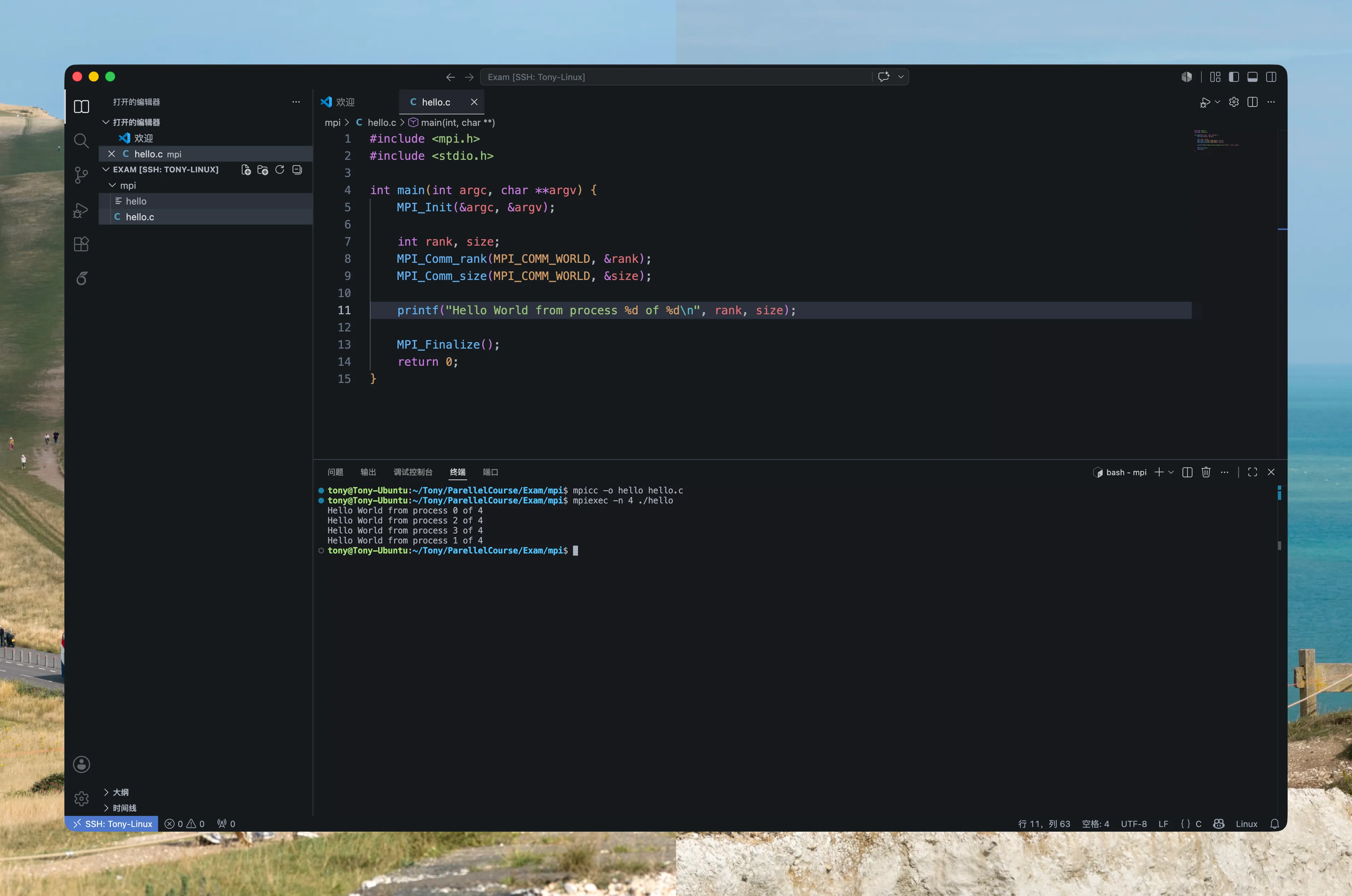
折腾了一圈,没想到只用加两行配置就可以了。不过解决了心头大患也不枉这折腾的3个小时。